AI-Powered Voice Notes

Turn Your Voice
Into Insight

Record meetings, lectures, or ideas — then let AI transcribe, summarize, and extract key points. Powered by your own OpenAI key, not a $20/month subscription.

App Store Coming Soon
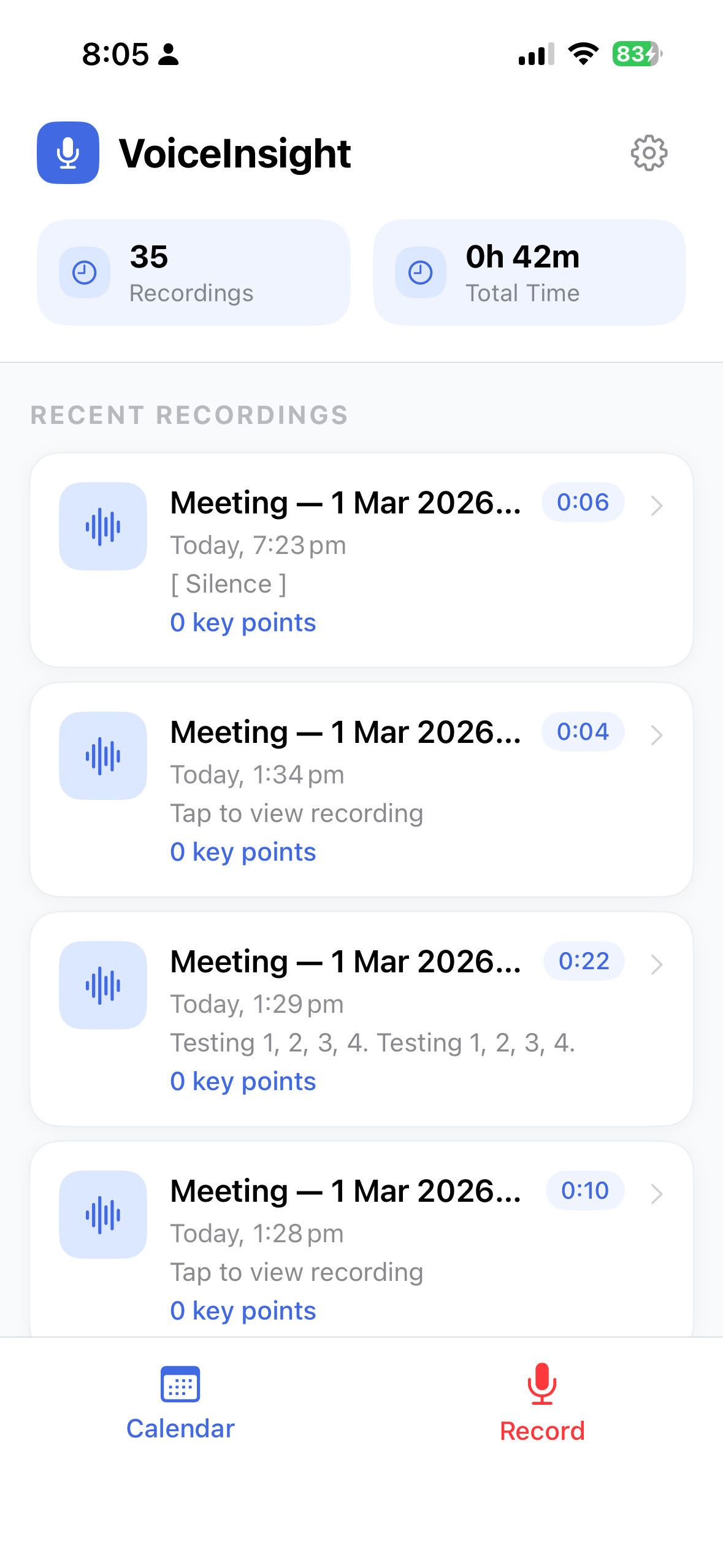
VoiceInsight main screen

Everything you need.
Nothing you don't.

Record once, get three AI-powered outputs instantly — all processed directly from your device to OpenAI using your own API key.

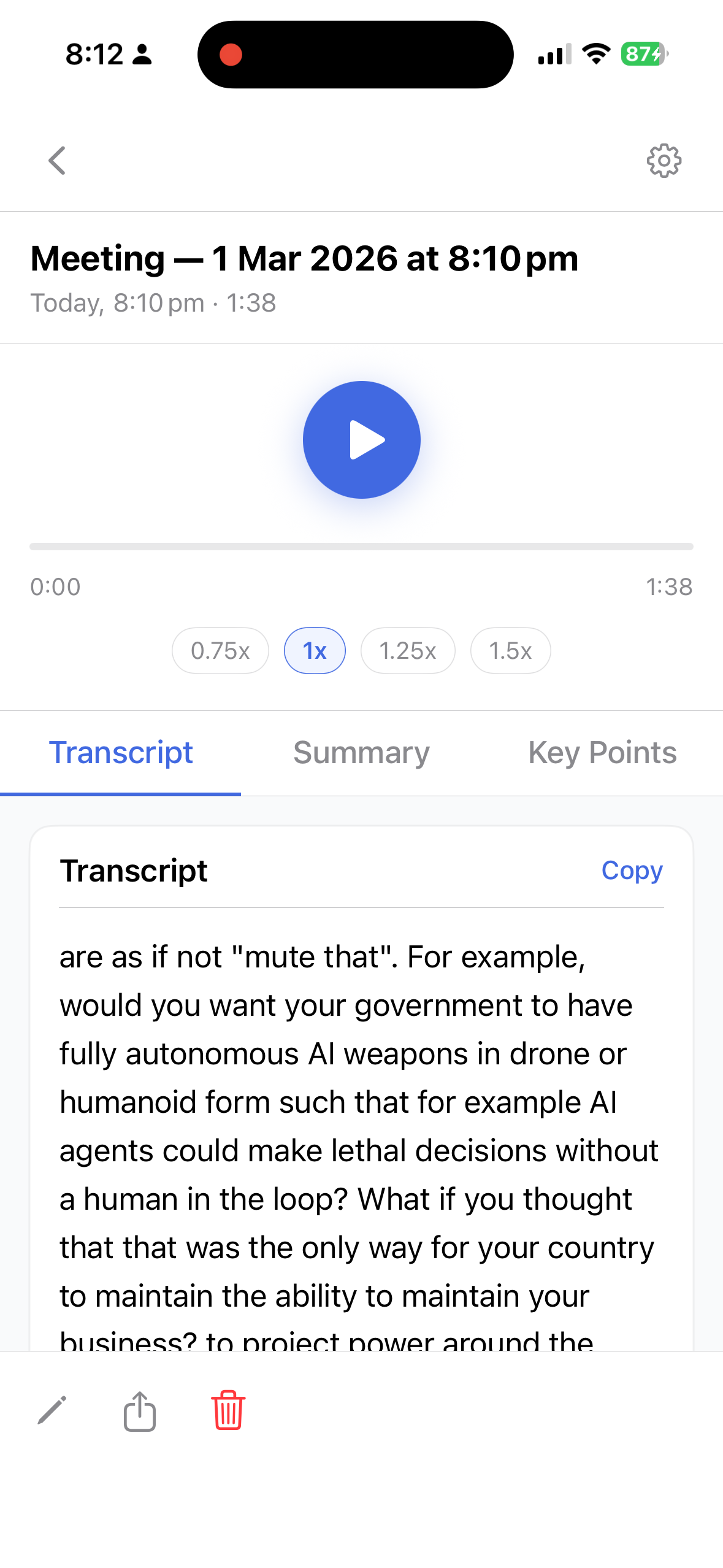
Transcript tab
📝

Auto Transcription

Every word, captured accurately. Tap to copy or share the full transcript of any recording.

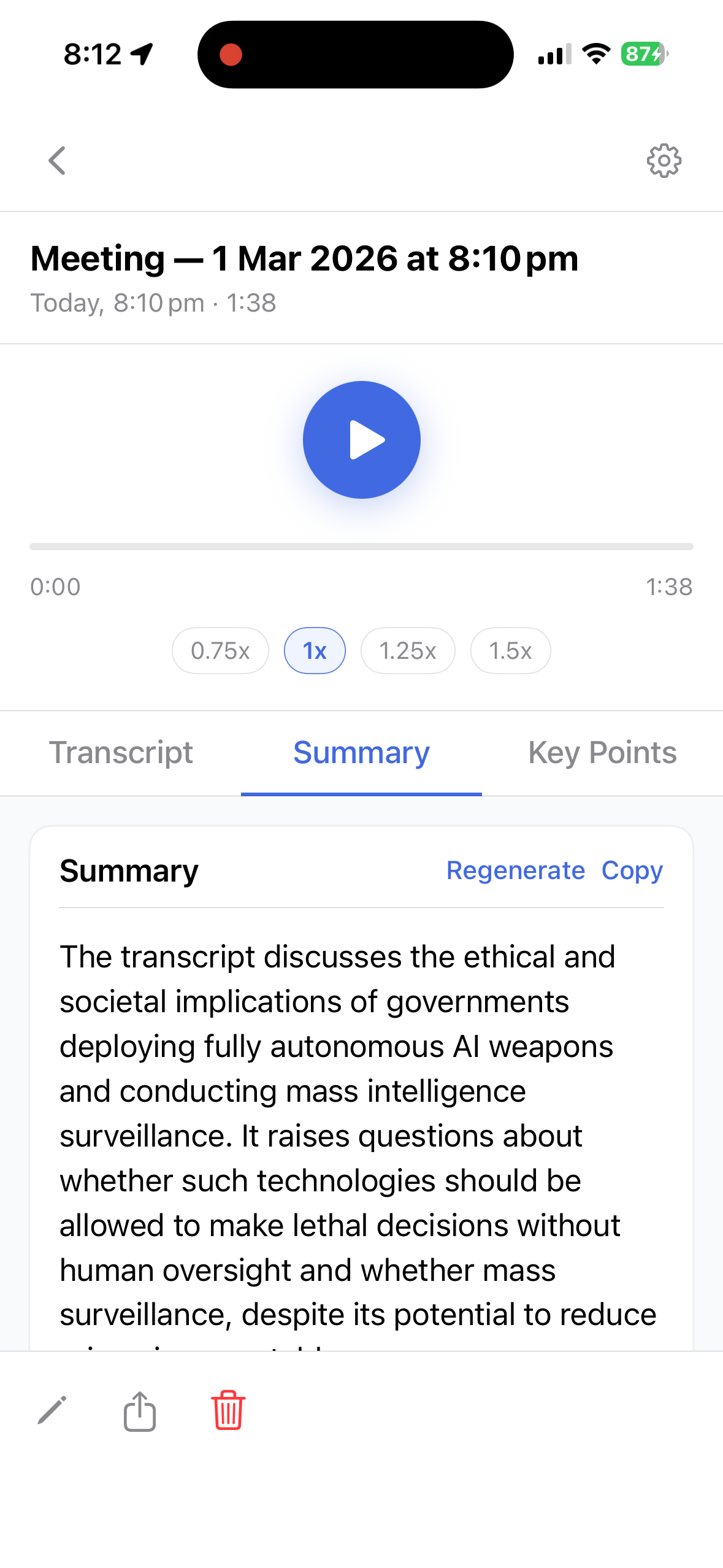
Summary tab

Smart Summaries

Generate a concise summary on demand. Perfect for long meetings or lectures you need to review fast.

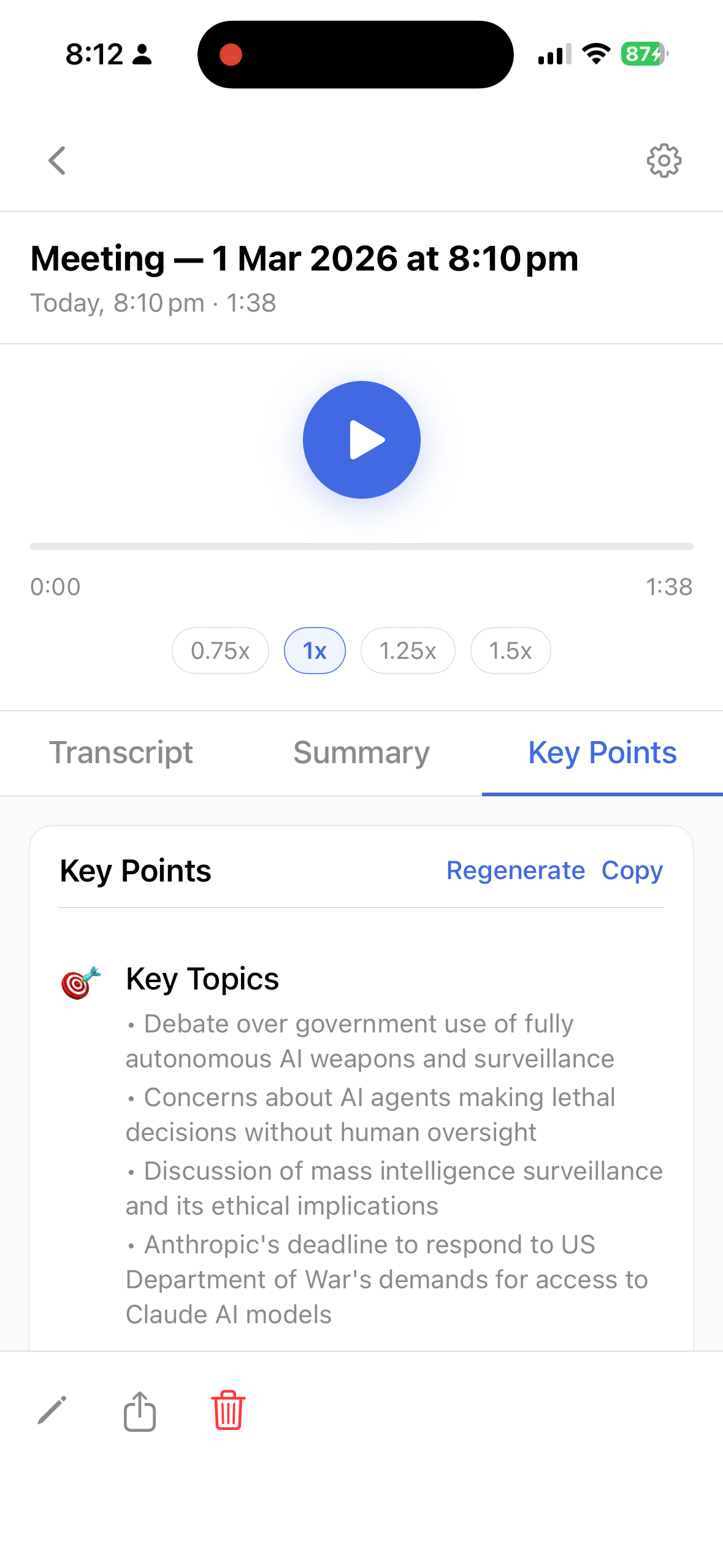
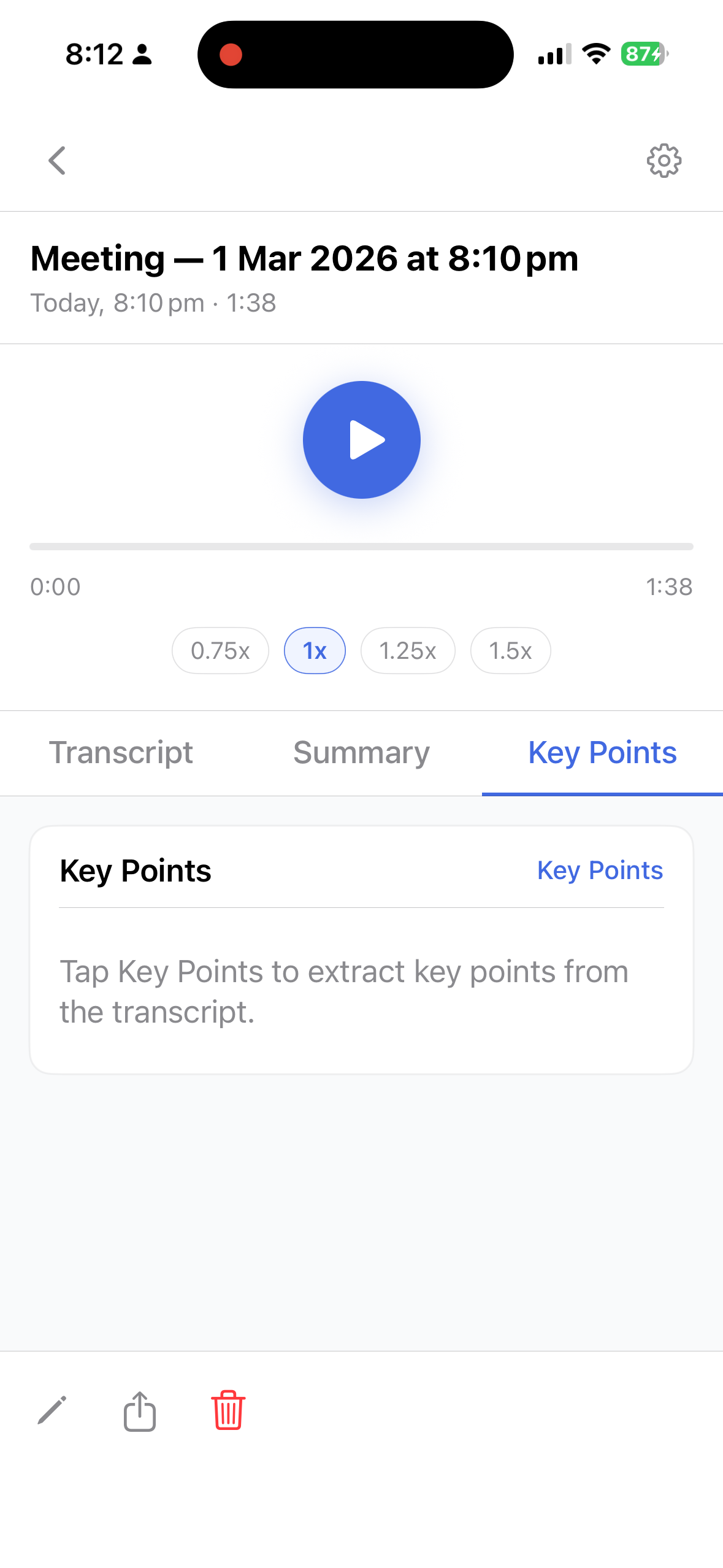
Key points tab
🎯

Key Points

Extract the most important takeaways as a clean, shareable bullet list — one tap away.

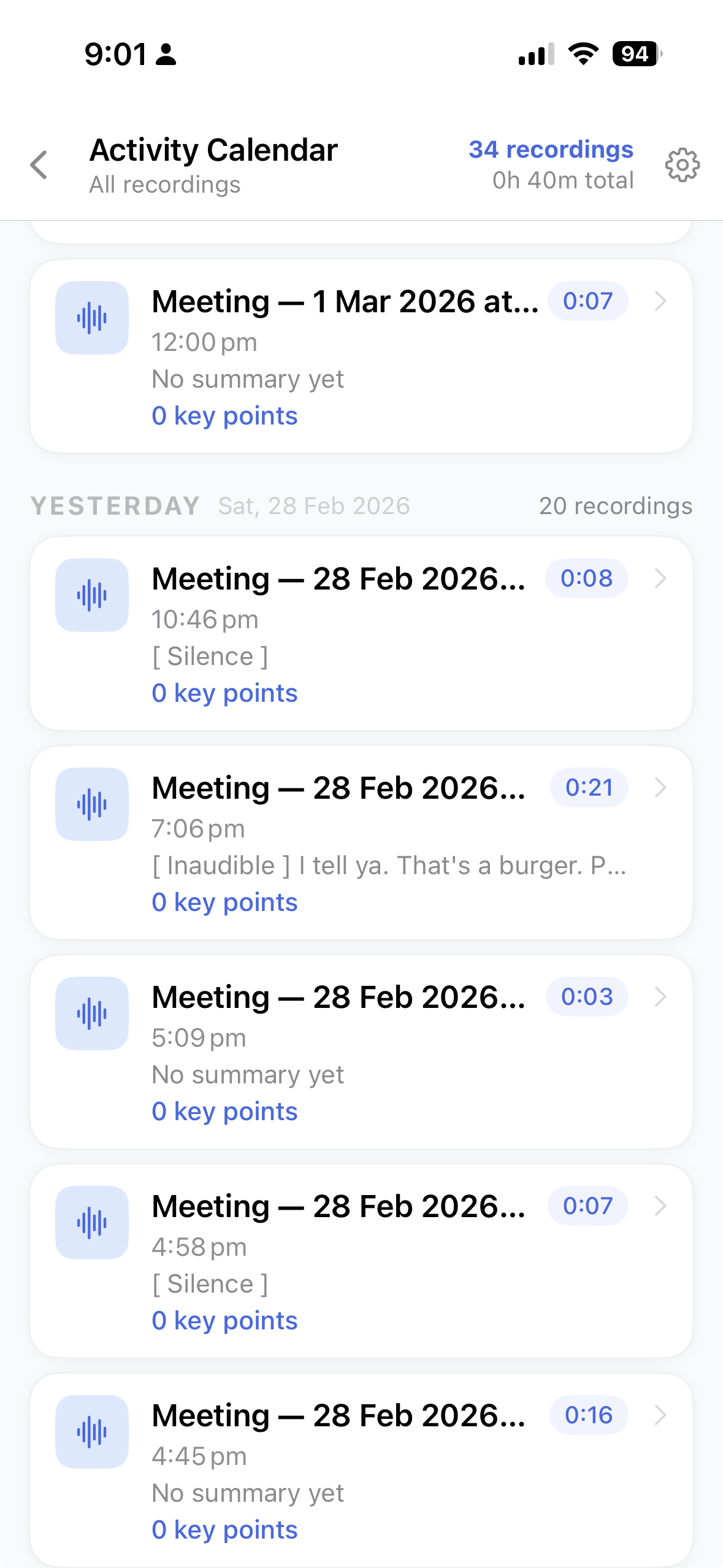
📅

Calendar View

Browse all recordings organised by day. Never lose a session.

✏️

Editable Titles

Rename recordings on the fly so you can find them instantly later.

📤

One-Tap Sharing

Forward transcripts, summaries, or key points via any app.

🔒

100% Local Storage

Your data never leaves your device. Full privacy, guaranteed.

Your key.
Your costs.
Your control.

AI note-taking apps charge $15–$30/month because they foot the OpenAI bill for you. VoiceInsight lets you connect your own API key — you pay only for what you actually use.

  • 🚫

    No subscription fees

    VoiceInsight is completely free to download. No monthly charges, ever.

  • 💸

    Pay only for what you use

    OpenAI's Whisper and GPT APIs are priced per minute / per token — extremely affordable for real-world usage.

  • 🛡

    Full transparency

    Your OpenAI dashboard shows exactly what you've spent. No hidden fees, no surprises.

$5
lasts you months
with typical voice note usage
Other AI note apps $15–$30/mo
VoiceInsight (BYOK) ~$1–3/mo
Your data goes to OpenAI only
Stored on our servers? Never ✓

A closer look

Scroll through the full app experience.

Main screen
Main Screen
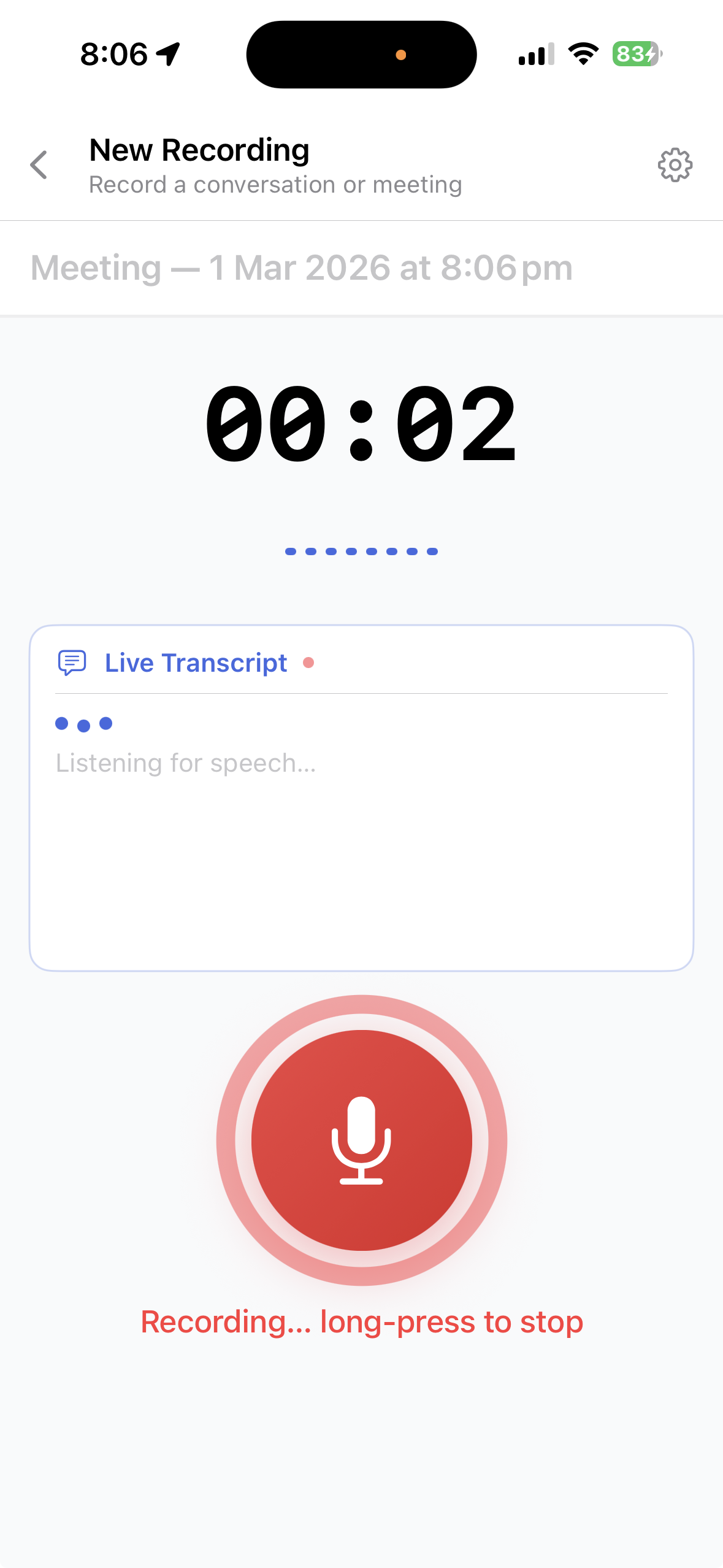
Recording view
Recording View
Transcript
Transcript Tab
Summary
Summary Tab
Key points empty
Key Points (empty)
Key points generated
Key Points (generated)
Calendar view
Calendar View
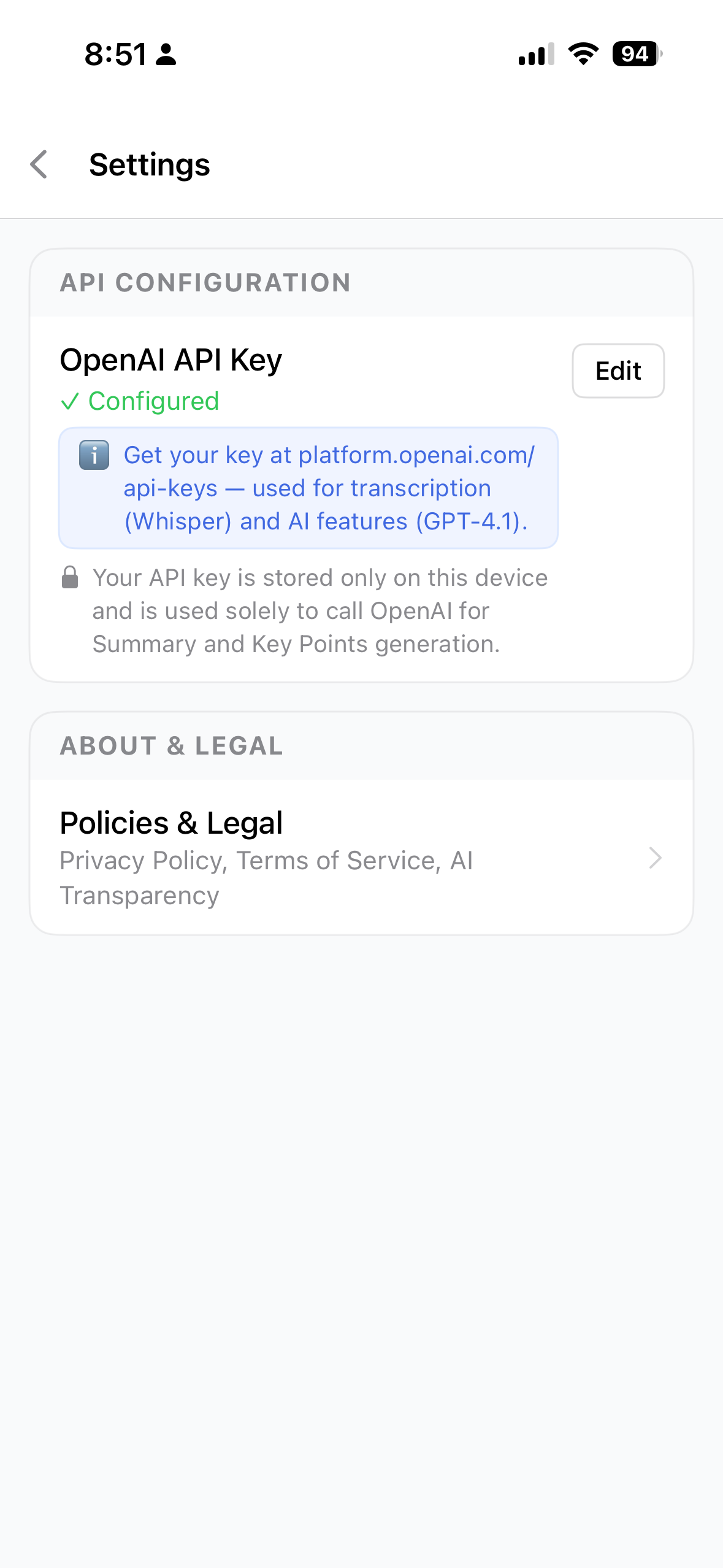
Settings
Settings

Set up your OpenAI key
in 4 easy steps

You only do this once. After that, VoiceInsight handles everything automatically.

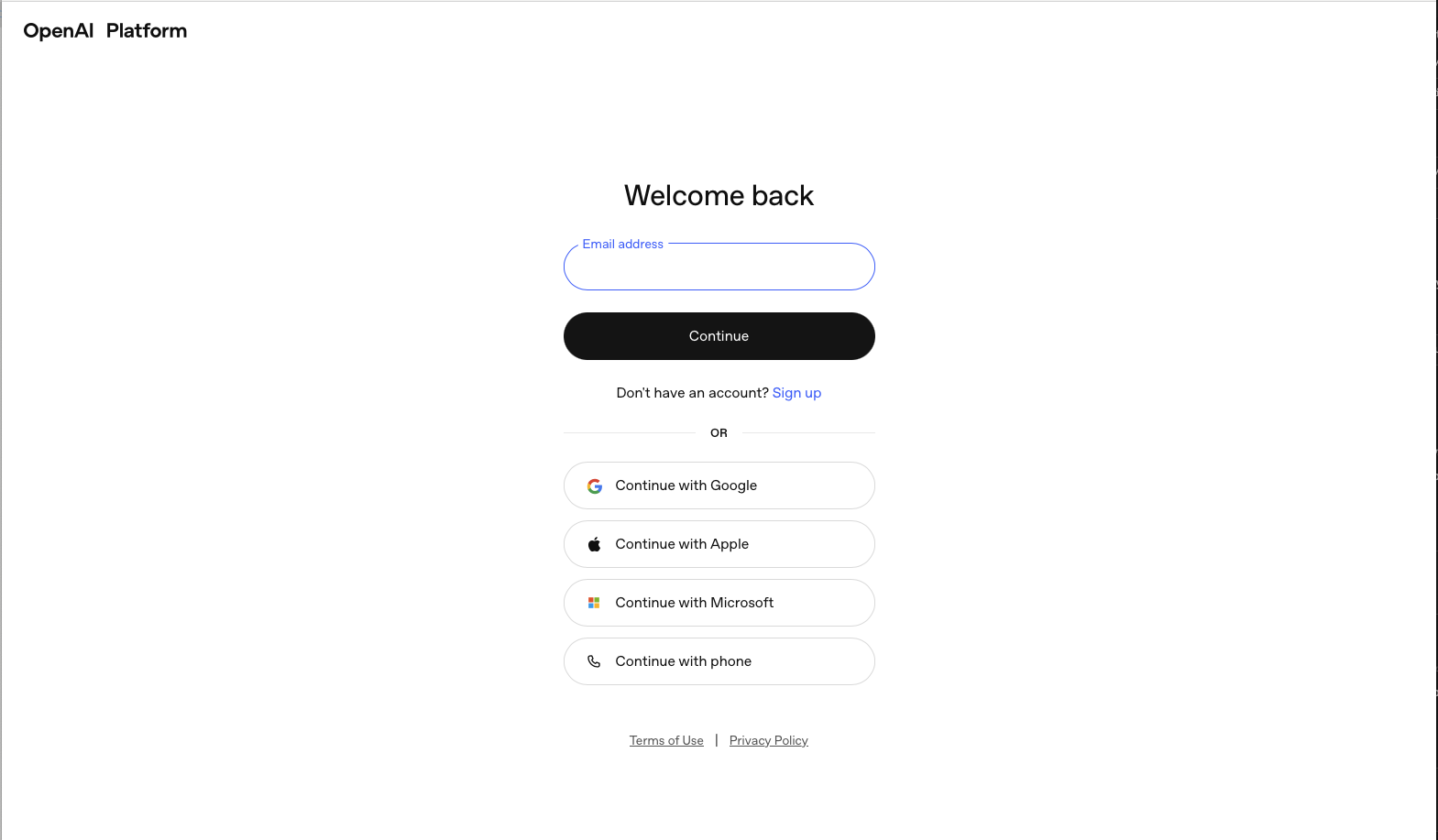
Step 01

Create an OpenAI account

Head to auth.openai.com and sign up for a free account. This gives you access to OpenAI's API platform.

OpenAI registration
Step 02

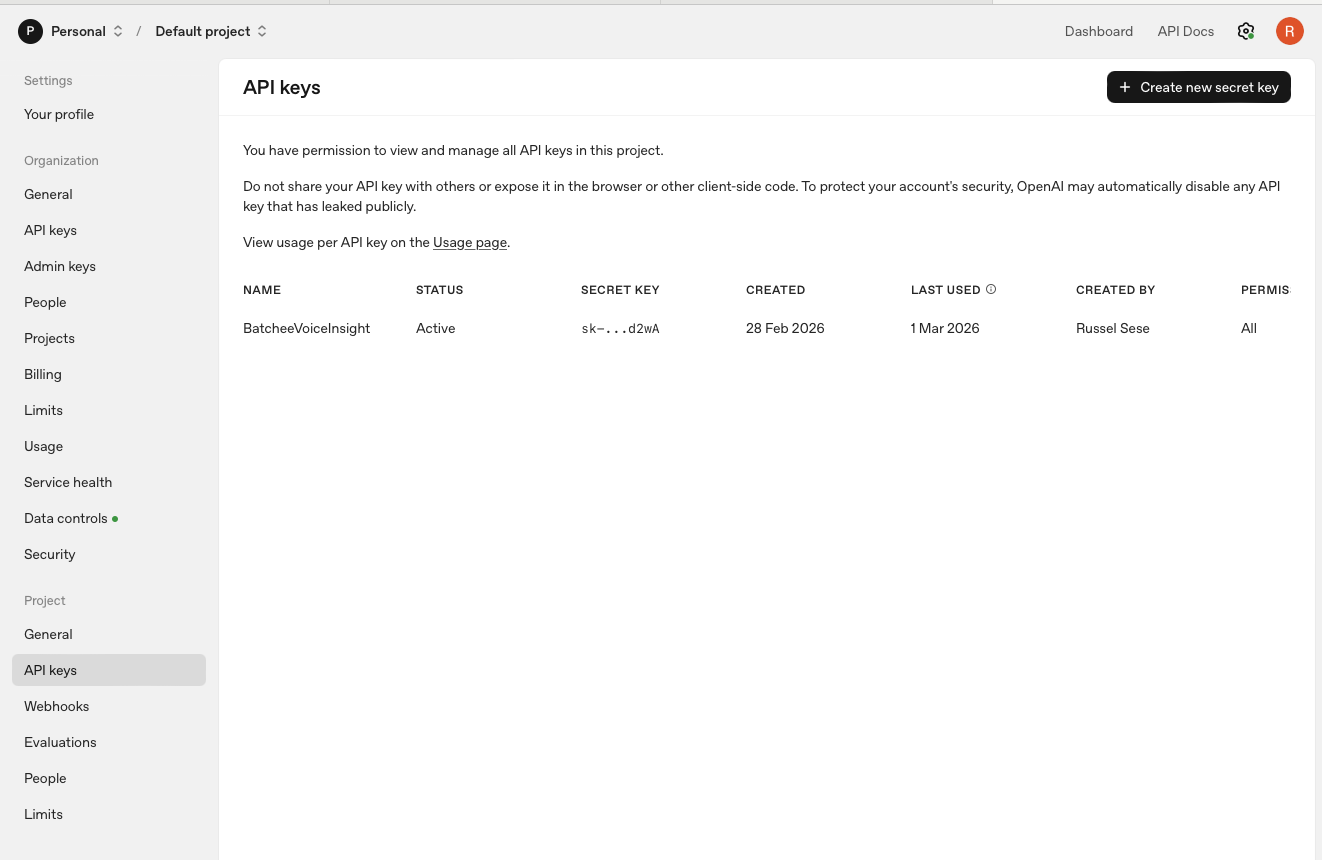
Generate your API key

Go to platform.openai.com/settings, navigate to API Keys, and create a new secret key. Copy it — you'll need it in the app.

Create API key
Step 03

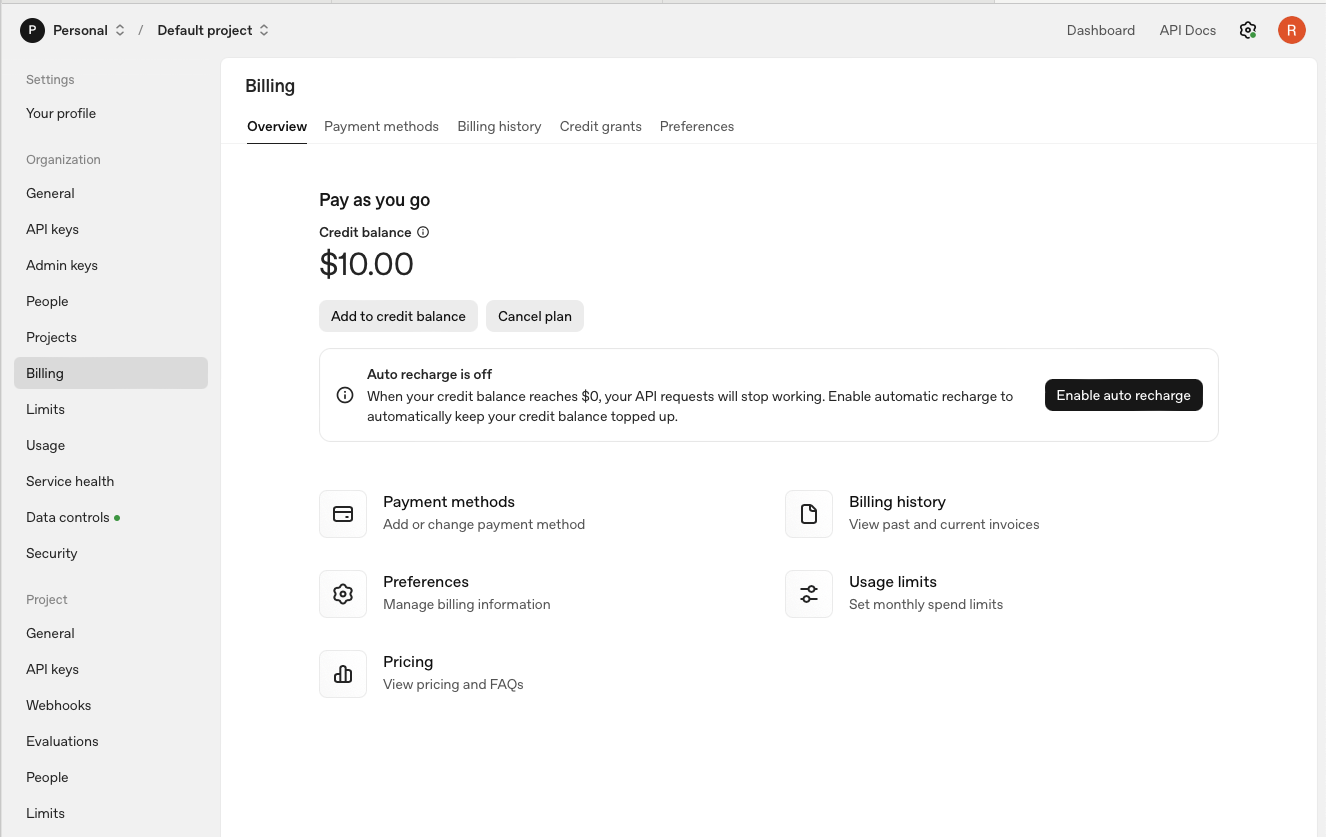
Add a small credit balance

Visit the Billing page and top up with just $5–$10. That's enough for months of typical voice note usage.

Add billing credits
Step 04

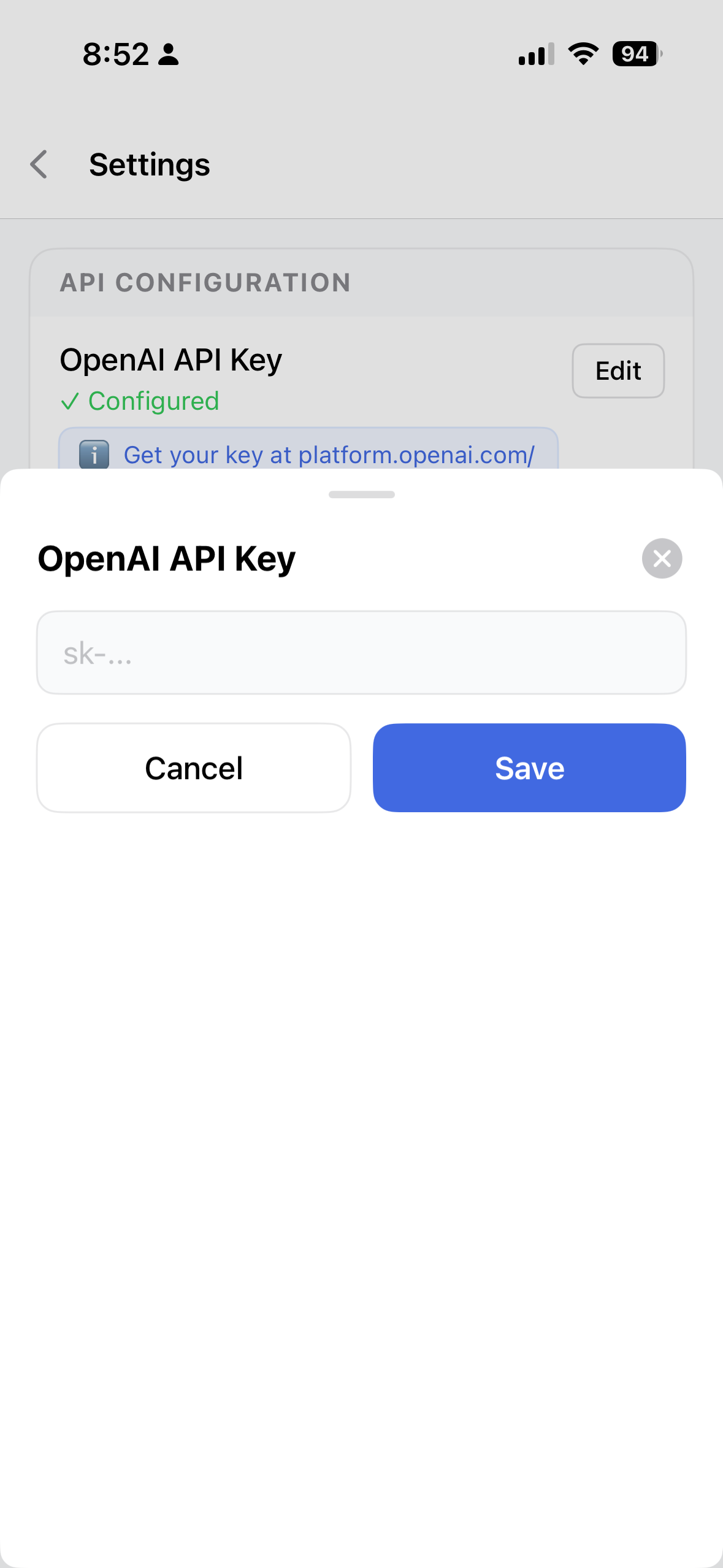
Paste your key into VoiceInsight

Open VoiceInsight → Settings → OpenAI API Key, paste your key, and save. You're ready to record, transcribe, and summarise.

Paste API key in VoiceInsight