Per-site Script Rules
Each script gets its own URL pattern. Match a single path, an entire domain, or every site — as precise or as broad as you need.
Save JavaScript snippets with wildcard URL rules and run them on demand or automatically after page load — no server, no sign-in, just your code.
Features
Write it once, run it anywhere your URL pattern matches — with full control over when scripts fire.
Each script gets its own URL pattern. Match a single path, an entire domain, or every site — as precise or as broad as you need.
Use * to match anything: https://github.com/*, *://*.example.com/*, or just * for every page.
Open the popup and click Run Enabled Scripts On Current Tab to instantly execute all matching scripts on the page you're viewing.
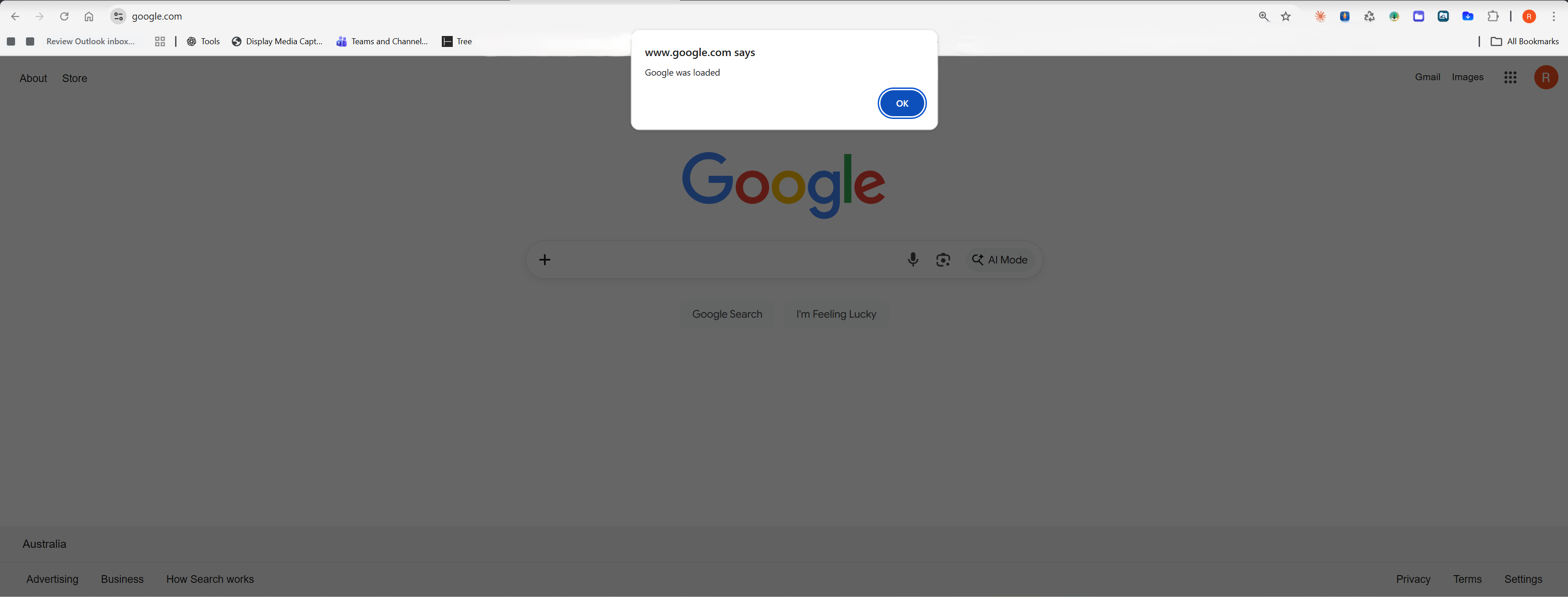
Enable auto-run and scripts fire automatically after each matching page loads — no clicks needed once configured.
Includes fallback execution logic for sites with strict Content Security Policies where standard script injection is blocked.
All scripts are saved in chrome.storage.local — they stay in your browser, never sent to any server.
See it in action
Everything you need is one click away — add scripts, manage rules, and run code without leaving the page.
Give your script a name, enter a URL pattern, paste your JavaScript, and hit Add Script. It's saved instantly and ready to run.
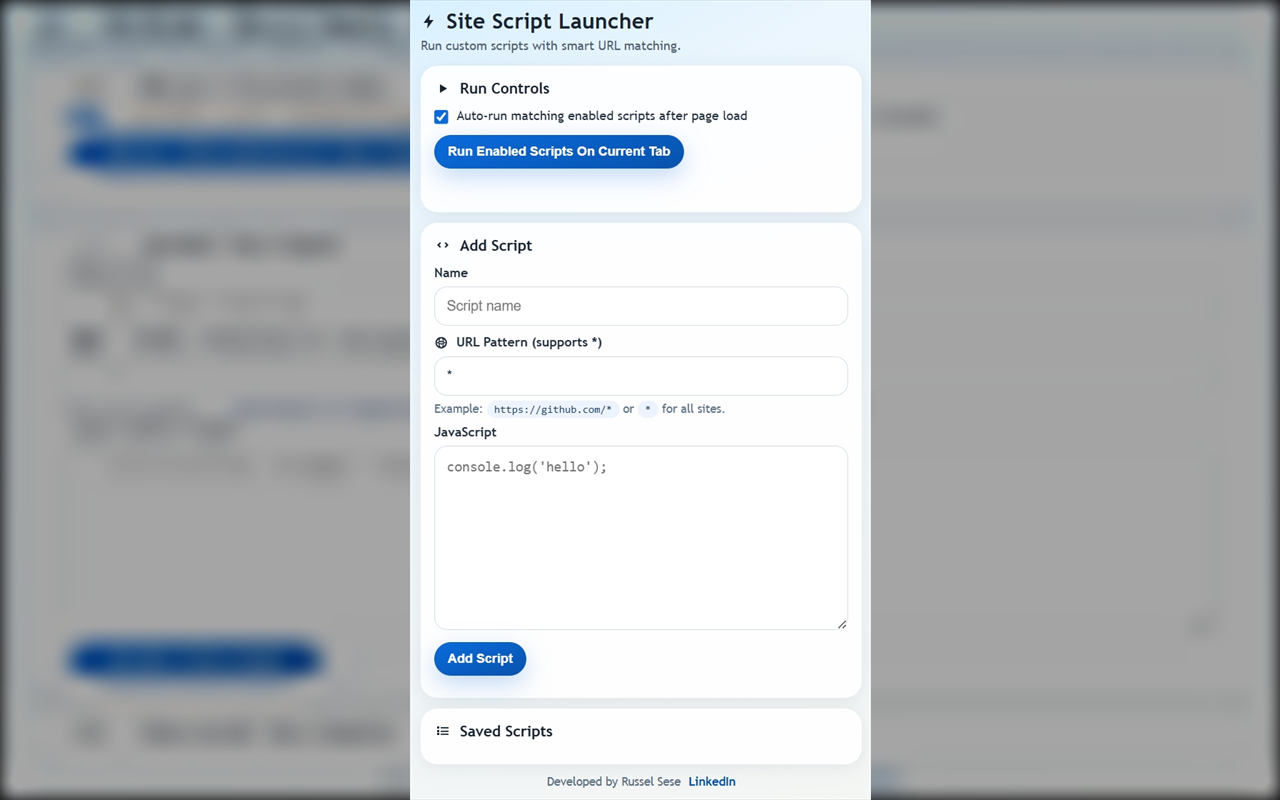
Navigate to a matching page, open the popup, and click run — your script executes immediately in the context of the current tab.
How it works
Add Site Script Launcher to Chrome from the Web Store — free, no account needed.
Open the popup, enter a name, set a URL pattern like https://github.com/*, and paste your JavaScript.
Navigate to any URL that matches your pattern. The extension detects the match automatically.
Click Run Enabled Scripts from the popup, or enable auto-run to have scripts fire on every matching page load.
Privacy
Site Script Launcher runs entirely in your browser. Your scripts and settings never leave your machine.
The extension is free and contains no advertising of any kind.
No analytics, no telemetry, no usage data sent anywhere.
Your scripts stay in chrome.storage.local and go nowhere else.
Install and use immediately. No account, no email, no setup required.